Crosswire for iPhone, iPad and Android
The world's front pages, side by side, in your hand. Crosswire opens two or more live newspaper home pages on one screen — the pages their editors actually published, in their own layout and their own order of importance — so you can see how the same day is being framed in 186 countries and across the political spectrum.
It is free, there is no account, and no advertisement ever appears on, beside or over a front page. Version 1.0.0 has been on the App Store and Google Play since 21 August 2026.


Store listings
App Store
View listing ↗- Devices
- iPhone, iPad and Apple silicon Macs
- Requires
- iOS 16.4 or later
- Version
- 1.0.0 · 2026-08-21
- Rating
- 4+
- Price
- Free, with an optional in-app purchase
- App ID
- 6802321473
Google Play
View listing ↗- Devices
- Android phones and tablets, and Chromebooks with the Play Store
- Requires
- See the store listing
- Version
- 1.0.0 · 2026-08-20
- Rating
- Everyone
- Price
- Free, with an optional in-app purchase
- Package
- online.crosswire.app
What it looks like
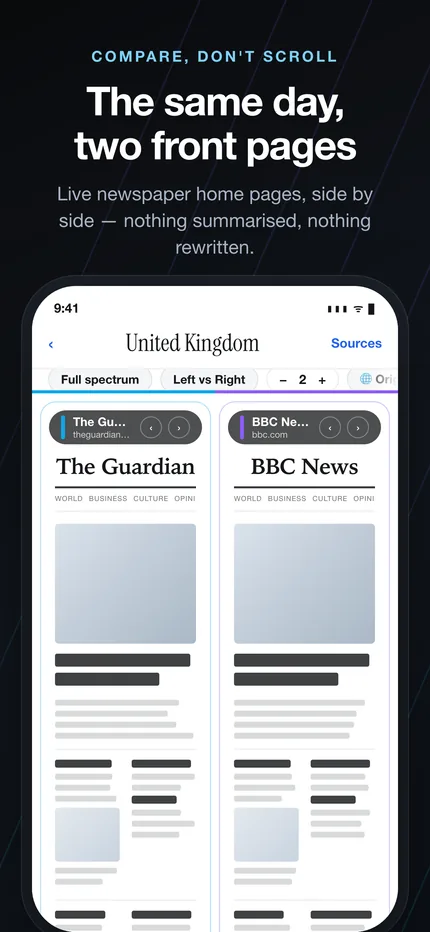
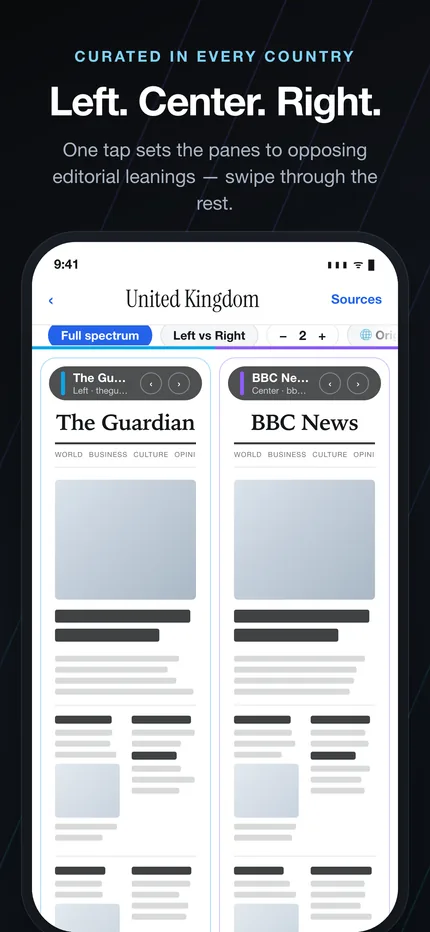
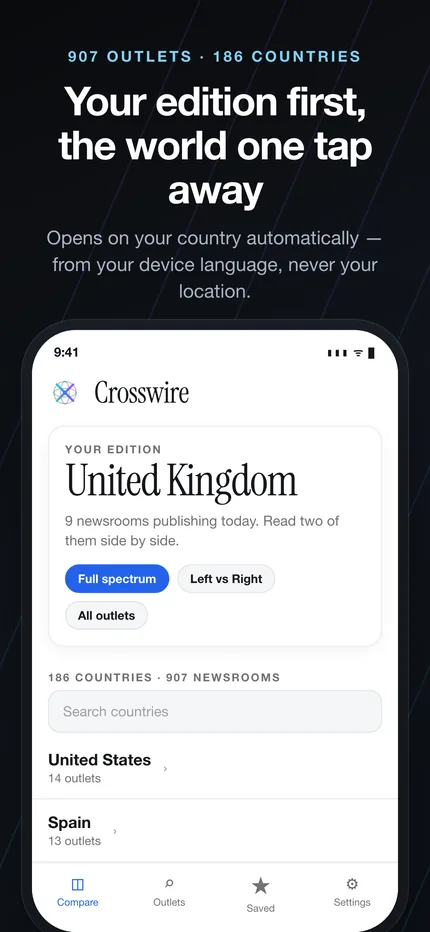
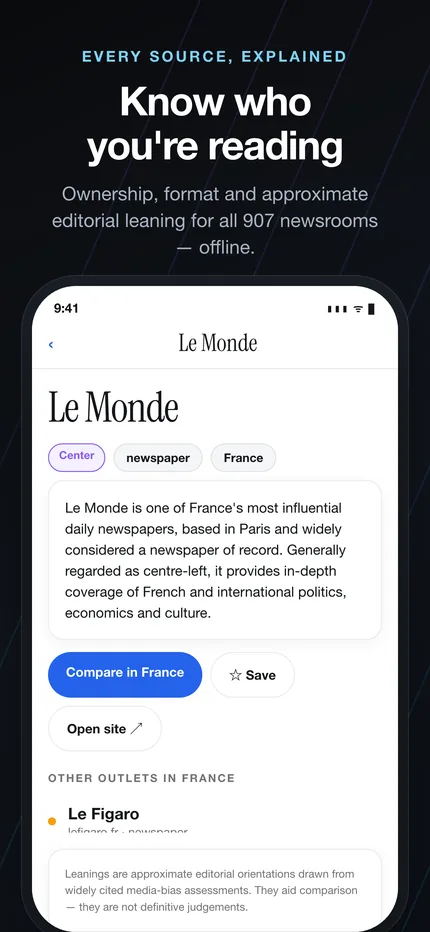
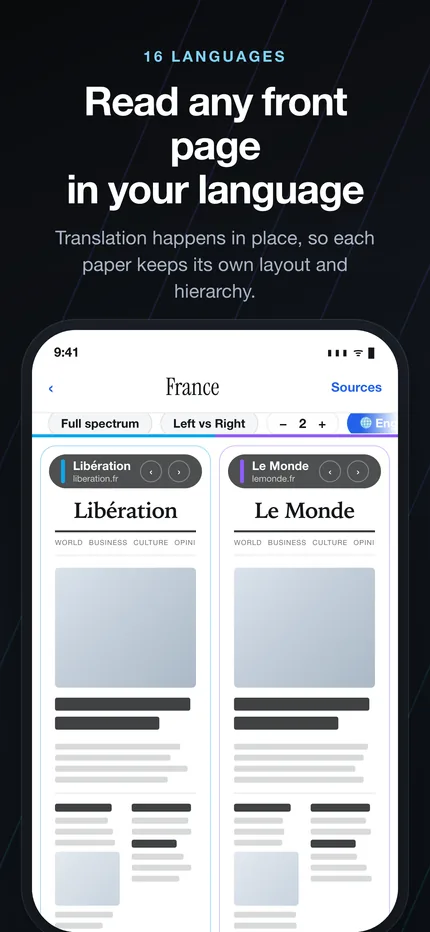
Six screens from the iPhone app. The front pages inside them are real: Crosswire does not mock up a newspaper, it loads the publisher's own home page and shows it as it stands right now.
What the app does
Front pages side by side
Two, three or four live newspaper home pages on one screen, in the layout their editors published — no feed, no ranking, no summary in between.
Left · Center · Right in one tap
Every country with enough sources opens with the spectrum already arranged: a left-leaning, a centrist and a right-leaning title, ready to read in parallel.
Your own edition
Save the comparison you keep coming back to and reopen it in one tap. Nothing about it leaves the device, because there is no account for it to leave to.
Know who you are reading
Every outlet carries its approximate editorial leaning, its type and its ownership, drawn from the same open directory the website publishes.
Read any front page in your language
Translate a page in place into 16 languages while it keeps its original layout, so what you are comparing is still the page the newsroom built.
No advertising on journalism
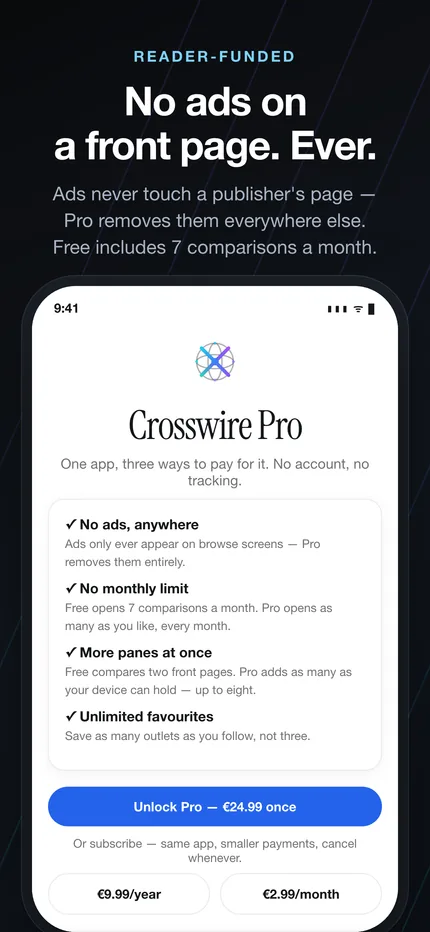
Ads never appear on, beside or over a front page — the rule is a constant in the source, and the test suite fails if a content screen ever accepts one.
What is free, and what Crosswire Pro is for
Crosswire sells its own tooling. It does not sell, and will not sell, access to journalism it did not write: every country, every outlet and every curated Left · Center · Right comparison is available to every reader, on every platform, at no cost. No newspaper is reserved for paying users, and no two readers see a different directory.
There is one limit, and it is stated here rather than discovered later. A free reader can open 7 comparisons per calendar month in the apps, with 2 front pages side by side. Switching outlets inside a comparison you have already opened, rotating the device or changing the language do not count against it. Crosswire Pro lifts the monthly limit, opens as many panes at once as the device can hold — up to 8 — and adds unlimited favourites, named comparison sets and custom presets, as well as removing the small banner that appears on Crosswire's own browse screens.
The website has no such limit. crosswire.online is free and unmetered, and nothing on it requires the app. If the monthly allowance is in your way, the browser is right there.
Free
€0
- All 186 countries and all 907 outlets
- Every curated Left · Center · Right comparison
- Translation into 16 languages
- 7 comparisons a month, 2 front pages at a time
- 3 favourite outlets and 1 saved comparison
- One small banner, on Crosswire's own screens only
Crosswire Pro
€24.99 once — or €9.99/year, €2.99/month
- Unlimited comparisons
- As many front pages as the device holds, up to 8
- Unlimited favourites and named comparison sets
- Your own Left · Center · Right presets
- No ads anywhere in the app
All three durations unlock exactly the same app. Prices shown are the developer price in euro; each store charges its own localised equivalent.
What a purchase funds is set out in the terms of use: Crosswire's fetching, rendering and delivery infrastructure, the curation of the outlet directory, the translation service and the comparison tooling. Never the journalism, and never a penny to or from any outlet Crosswire lists.
The app and the website
They read from the same directory and show the same front pages. What differs is the shape of the screen they were built for — and one limit that exists on only one of them.
| Website | iPhone, iPad & Android | |
|---|---|---|
| Countries and outlets | 186 · 907 | The same |
| Left · Center · Right presets | Yes | Yes — custom line-ups with Pro |
| Front pages at once | Up to 4 | 2 free; with Pro, as many as the device holds (up to 8) |
| Monthly comparison limit | None | 7 free, then Pro |
| Translation | 16 languages | 16 languages |
| Favourite outlets | Up to 3, in this browser | 3 free, unlimited with Pro |
| Saved comparison sets | — | 1 free, unlimited named sets with Pro |
| Account required | No | No |
| Advertising | None | Browse screens only, never on a front page |
What the app deliberately does not do
It does not rank the news
There is no feed and no recommendation. You choose the outlets; the app shows you their pages in the order the newsroom put them in, and gets out of the way.
It does not know what you read
No account, no profile, no sync server, no advertising identifier. Favourites, layout and language live on the device and go nowhere else.
It does not rewrite anyone
Nothing is summarised, republished or re-hosted. Tap a headline and you are on the publisher's own site, reading their page on their terms.
Whether a given front page appears is partly outside Crosswire's control: publishers' servers can block automated requests, rate-limit them, or simply be slow. Around 5% of the directory cannot be previewed in a given week for those reasons — the app says so and offers to open the page in your browser instead. How outlets are chosen and how leanings are assigned is documented in the methodology, and the whole directory is published as open data.
Questions about the apps
Is there a Crosswire app for iPhone and Android?
Yes. Crosswire is published on the App Store for iPhone, iPad and Apple silicon Macs (iOS 16.4 or later), and on Google Play for Android phones, tablets and Chromebooks. Both are free to install and are version 1.0.0.
Does the app cost anything?
The app is free to install and free to use. A free reader can open 7 comparisons per calendar month with two front pages side by side, in every country, with every Left · Center · Right preset and all 16 translation languages. Crosswire Pro removes the monthly limit, opens as many panes at once as the device can hold, and takes the ads off Crosswire's own browse screens, for €24.99 once, €9.99 a year or €2.99 a month.
Is anything on the website hidden behind the app's paid tier?
No. The website has no monthly limit and never will: crosswire.online is free and unmetered, and nothing there requires the app. No country, outlet or curated comparison is reserved for paying readers on either platform — what Crosswire Pro buys is Crosswire's own tooling, never access to somebody else's journalism.
Does the app show ads on news front pages?
Never. Advertising is permitted only on Crosswire's own screens — the country picker, the outlet directory and search — and never on, beside or over a publisher's front page. The rule is a constant list in the app's source with a test that fails if any content screen accepts an ad, so it cannot be undone by accident.
Do I need an account to use the Crosswire app?
No. There is no account, no sign-up and no sync server. Favourites, layout and language stay on the device, and Crosswire does not track what you read.
How is the app different from the Crosswire website?
They show the same 907 outlets across 186 countries, from the same directory. The website opens up to four panes on a large screen with no monthly limit; the app adds saved comparison sets, custom presets and a layout built for phones, tablets and Split View, and meters its free tier at 7 comparisons a month.
Questions about the data, the previews or reuse are answered in the full FAQ.
Put two front pages next to each other
It takes about ten seconds to see something a single newspaper cannot show you. Install the app, or start in the browser — the directory is the same either way.